 Bullflow
 Bullflow Premium Update: Major Upgrades to GEX, Advanced Charting, Dark Pool Data, and the Bullflow API

Bullflow Premium just received one of its biggest updates yet.
We’ve added major upgrades across Gamma Exposure, advanced charting, dark pool data, and the Bullflow API to give you a cleaner, faster, and more powerful way to analyze market structure, options flow, and institutional activity in one place.
Watch the full video walkthrough here 👇
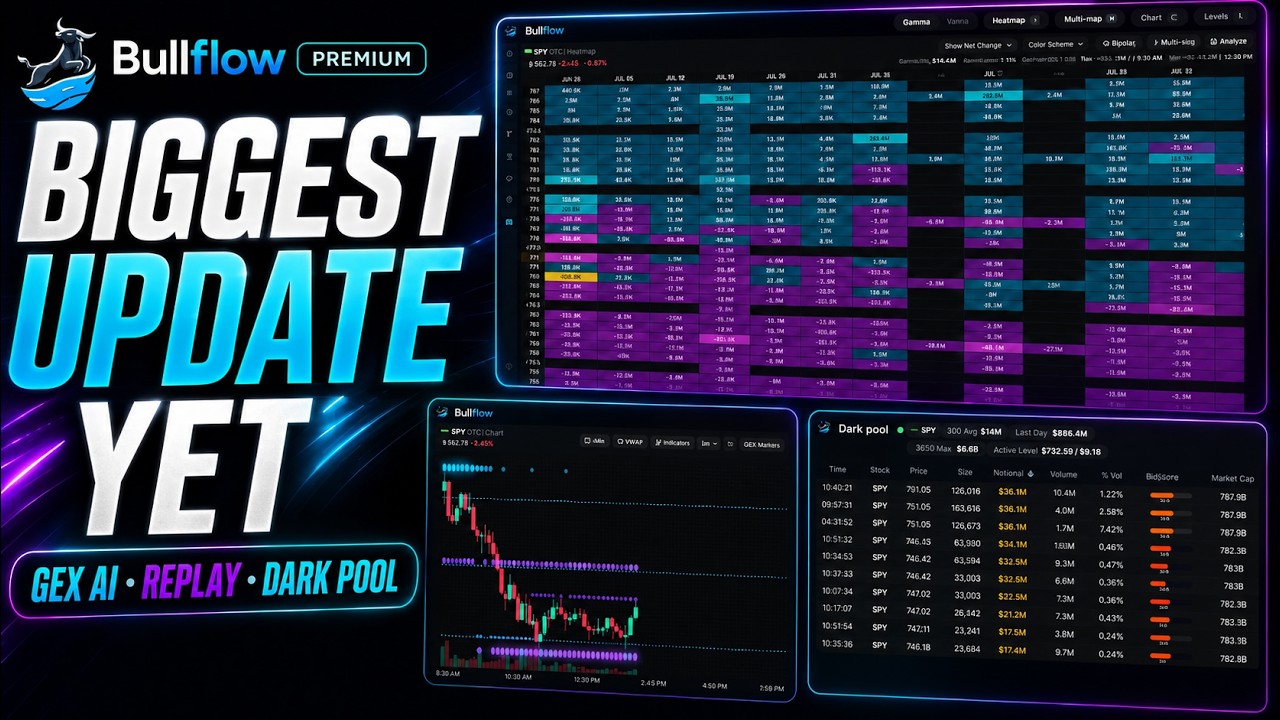
Here’s everything that’s new:
GEX Heatmap Updates
The Bullflow GEX Heatmap now includes several major improvements designed to make gamma exposure easier to analyze and act on.
AI GEX Analysis
You can now click Analyze on any ticker’s GEX Heatmap and have the Bullflow AI Agent interpret the current GEX structure for you.
Instead of manually scanning every strike and expiration, the AI Agent can help summarize the key levels, gamma regime, major nodes, and what traders may want to watch next.
GEX Heatmap % Change
We’ve added a new % Change feature to the GEX Heatmap.
This allows you to track major GEX node changes from either:
- The open
- The previous close
This makes it easier to see where gamma exposure is shifting throughout the session and which levels are gaining or losing importance in real time.
New Cyan/Violet Color Scheme
A new cyan/violet color scheme has been added to the GEX Heatmap.
This offers another clean visual option for reading positive and negative GEX zones. Custom color themes are also coming soon.
Save and Reload Multi-Map Configurations
You can now save your GEX Multi-Map setups and instantly reload them later.
This is especially useful for traders who monitor multiple tickers, expirations, or layout configurations throughout the day.
The Ultimate Trading Chart
Bullflow’s custom chart now brings options flow, GEX, dark pool data, and price action together in one place.
This is one of the most important parts of the update because it allows traders to analyze multiple layers of market data directly on the chart instead of switching between separate views.
GEX Channels and Bubbles
The new chart now displays GEX channels and bubbles, which represent live GEX values directly on the chart.
This helps visualize where major gamma levels are sitting relative to price action, making it easier to identify potential support, resistance, pinning zones, and volatility areas. You can customize how many visible GEX levels you can see at once.
Chart Replay
Chart Replay allows you to replay GEX and price action on the chart. You can now review how price interacted with key GEX levels throughout the session and study previous setups in more detail.
Dark Pool Levels
Visualize the largest dark pool trades from the last six months directly on the chart, along with the price levels where those trades were executed.
This gives traders a clearer view of where major off-exchange activity has taken place and whether price is reacting around those levels. You can also customize how many dark pool levels are displayed on the chart at once.
Flow Indicators
Unusual options flow that matches Bullflow’s criteria now appears directly on the chart as a clean card at the exact price and time the trade was executed.
This makes it easier to connect unusual options activity with price action in real time.
Split Chart View
We’ve also added a new Split Chart feature.
By clicking Split, you can view two chart configurations side by side in real time.
This is useful for comparing different timeframes, data overlays, tickers, or chart setups without needing to constantly switch back and forth.
Dark Pool Updates
The Dark Pool dashboard has also received a major upgrade.
Every dark pool trade now includes a SigScore, which helps show how unusual each trade is.
This gives traders a faster way to identify which dark pool prints may be more meaningful compared to normal activity.
Isolate Tickers
You can now click on a ticker to isolate it inside the Dark Pool dashboard.
When you isolate a ticker, Bullflow will show additional metrics, including:
- 30-day average dark pool activity
- Last day total notional
- Largest trade from the past year
- Most active dark pool level for that ticker
These metrics make it easier to understand whether the current dark pool activity is unusually large, concentrated at specific levels, or meaningfully different from the ticker’s normal activity.
Market Cap Column and Filter
We’ve added a new market cap column and filter to the Dark Pool dashboard.
This allows traders to filter dark pool activity based on company size for large-cap, mid-cap, and smaller-cap activity more efficiently.
Market-Cap Criteria for Dark Pool Alerts
You can create dark pool filters and alerts using market cap criteria.
This gives traders more control over the types of dark pool trades they want to be notified about.
Dashboard Layout and UI Improvements
The Dark Pool dashboard is now more space-efficient, making it easier to scan and analyze activity quickly.
We’ve also improved the colors and overall UI to make the experience cleaner and easier to read during active market hours.
Bullflow API Updates
With the continued expansion of GEX, VEX, options flow, dark pool data, alerts, and charting tools inside Bullflow, the API is becoming a more powerful way for traders and developers to build custom workflows around Bullflow data.
We’ve added new API endpoints for dark pool data and ticker price data, giving developers more flexibility to build custom dashboards, alerts, and trading workflows using Bullflow data.
You can check out the new API endpoints here 👉 https://www.bullflow.io/api/docs
These improvements are designed to make it easier to integrate Bullflow data into custom tools, dashboards, automations, and trading workflows.
Bullflow Premium members can start using these updates now at Bullflow.io.